Konica Minolta Magicolor 8650DN Driver and Printer PCL6 Software Download for Microsoft Windows and Macintosh Operating Systems.
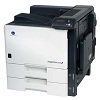

Konica Minolta Magicolor 8650DN Driver Downloads
Firstly, the OS version and platform needs to be determined. If you already know which operating system you are using and whether it’s 64-bit or 32-bit, you can continue.
Operating System(s): Windows 10(32-bit), Win 8/8.1(32-bit), Win 7(32-bit)
Secondly, you can start driver download process.
- Konica Magicolor 8650DN Windows Driver
- Download (4220KB)
Operating System(s):Windows Vista(32-bit,64-bit), Win Xp(32-bit,64-bit)
- Download (4.2MB) – Download x64 (4.3MB)
Lastly, check your Magicolor 8650DN Printer’s possible network and USB connections. After that, Run setup file. Wait for computer to connect to printer, and then click [Next] to install print driver. Also, Mac software;
Operating System(s):Mac OS X 10.10, Mac OS X 10.9, Mac OS X 10.8, Mac OS X 10.7, Mac OS X 10.6, Mac OS X 10.5, Mac OS X 10.4, Mac OS X 10.3